
How to fetch results
3 steps
- From your class list, take the first and last enrollment number.
- Type them into From and To, then choose Course and Semester.
- Click Start fetch. Watch the progress, then open View report.
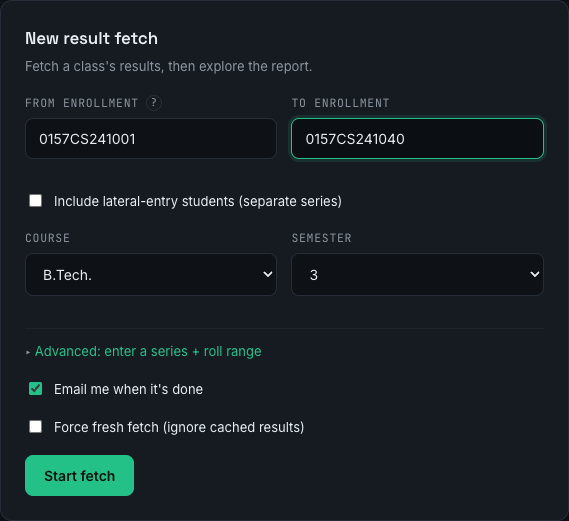
What each box does
| Field | What to put |
|---|---|
| From enrollment | The first student's full 12-character number |
| To enrollment | The last student's number (same college / branch / year) |
| Course | Their programme — B.Tech., B.Pharmacy, M.Tech.… |
| Semester | Which semester's result you want (1–10) |
| Include lateral-entry students | Tick to also fetch lateral students — adds a separate range (see below) |
| Email me when it's done | Get the report summary and an Excel file by email |
| Force fresh fetch | Ignore saved results and re-pull from RGPV (slower) |
Ticking Include lateral-entry students reveals a second range, and Advanced lets you type a series + roll numbers instead:
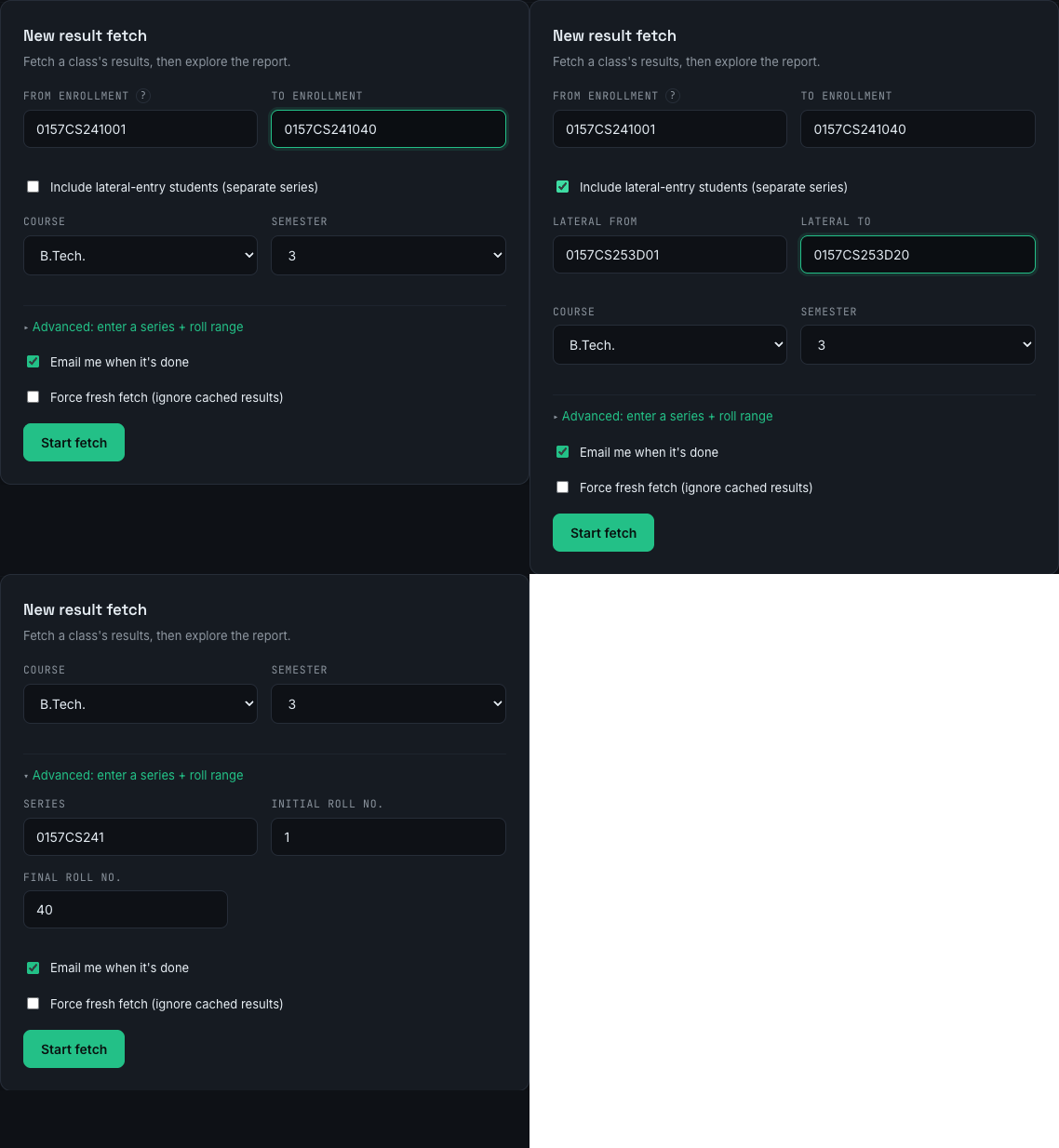
Just one student?
Use Quick lookup: paste one 12-character enrollment number, pick course and semester, and hit Look up. It answers instantly from saved results when it can.
Lateral-entry students
Lateral (direct-entry) students have a different enrollment series, so they need their
own range. Tick Include lateral-entry students and fill the extra
Lateral from / Lateral to boxes — e.g. 0157CS253D01 to
0157CS253D20. Note: lateral results only start at semester 3.
Reading an enrollment number
You rarely need this — the app works it out — but here's what the 12 characters mean. Regular batch:
0157CS241001
- 0157 College code
- CS Branch (CS, EC, EE, ME, CE…)
- 24 Admission year (2024)
- 1 Entry batch — 1 = regular
- 001 Roll number
Lateral batch — note the extra letter and shorter roll number:
0157CS253D01
- 3 Entry batch — 3 = lateral
- D Category letter (lateral / direct entry)
- 01 Roll number (2 digits)
After you click Start
Your jobs shows live progress and time left, and lets you cancel. When a job finishes, click View report.
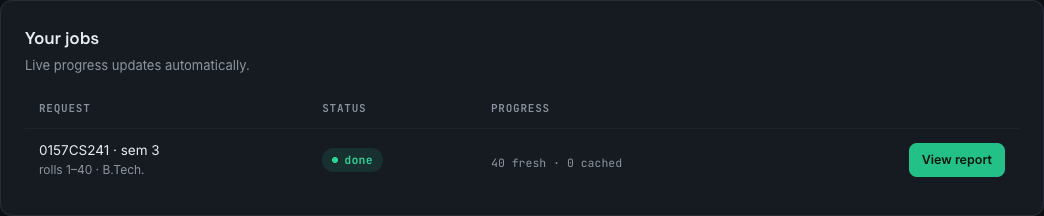
The report you get
The top of the report summarises the class — pass rate, average and top SGPA/CGPA, and how many were not found — followed by charts: SGPA & CGPA distribution, pass/fail, subject pass % (hardest first) and a grade breakdown per subject.
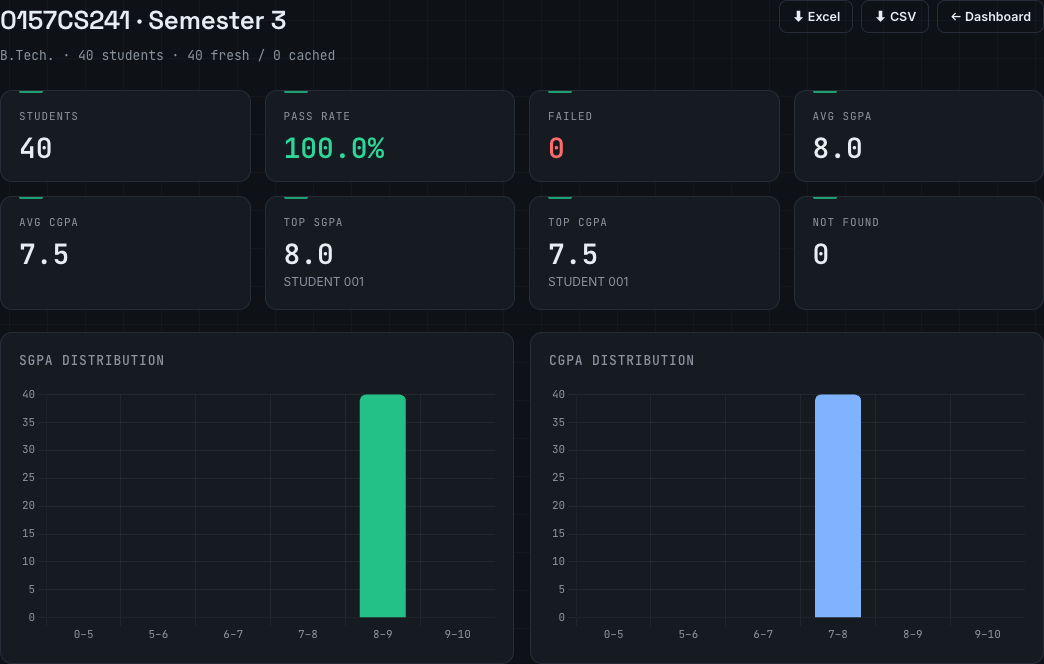
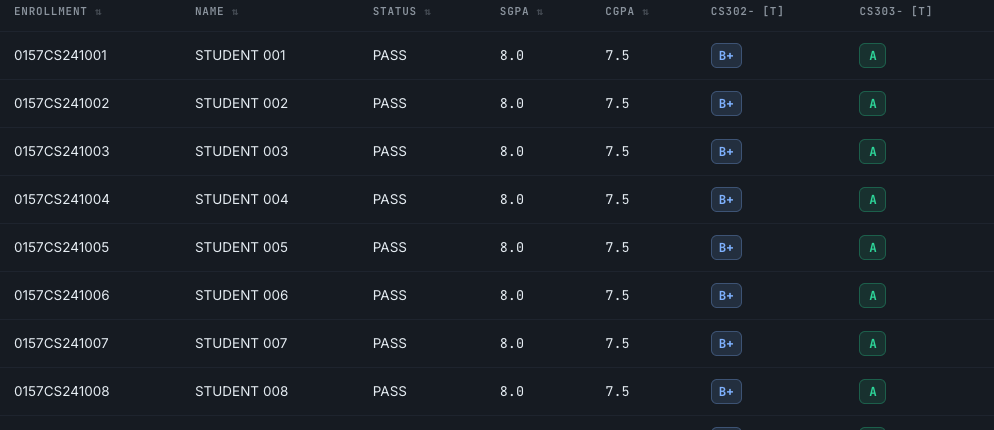
Below the charts, tabs list every student — All students, Toppers, Failed and Subjects — and columns are sortable. Use ⬇ Excel or ⬇ CSV (top right) to download the whole thing.
Share a report
Create a link to share a read-only report — no login needed for whoever you send it to. Choose an expiry (Never, 7 or 30 days), click Create share link, and copy it. You can Stop sharing any time to revoke the link.

Prefer the old way?
Open Advanced to type a series (0157CS241) plus an initial and
final roll number, instead of full From/To enrollments.
If something looks off
- Rows say "not found"? Check the college and branch codes — a typo just returns blanks, not an error.
- Nothing for a lateral batch? They only have results from semester 3 onward.
- From and To must match on college, branch, year and entry batch — only the roll number should change. Lateral students go in the lateral boxes.